If you decide to close your PoppoLive account, whether to create a new one or simply take a break from the platform, here’s how to permanently remove it.
- Log in to your Poppo Live account
- Tap the profile icon
- Go to Settings
- Select Account and Security
- Tap Cancel Account
- Enter your Poppo ID to verify
- Confirm, and you’re done!
Note: Account cancellation means your account will be permanently deleted. After cancellation, you will lose all your data, including:
- Chat history
- Levels
- VIPs
- Points and coins
Poppo is a live streaming app where users can broadcast themselves, interact with viewers. However, if you want to close your account due to face verification issues or any other reason, don’t worry here’s a simple, step by step guide to deactivate an account.
Did you Know?
You can even create your own agency on Poppo! Here’s the full guide on how to become an agent on Poppo Live.
lets begin!
How to Delete Poppo Live Account? Step By Step Guide
Follow these step to delete poppolive account permanently, Here below is the list of steps:
1. Open Pooppo Live App > Tap on Profile Section > Go to Settings

Open the application on your phone and log into the account. Next, go to your profile from the home screen and open the Settings section to proceed.
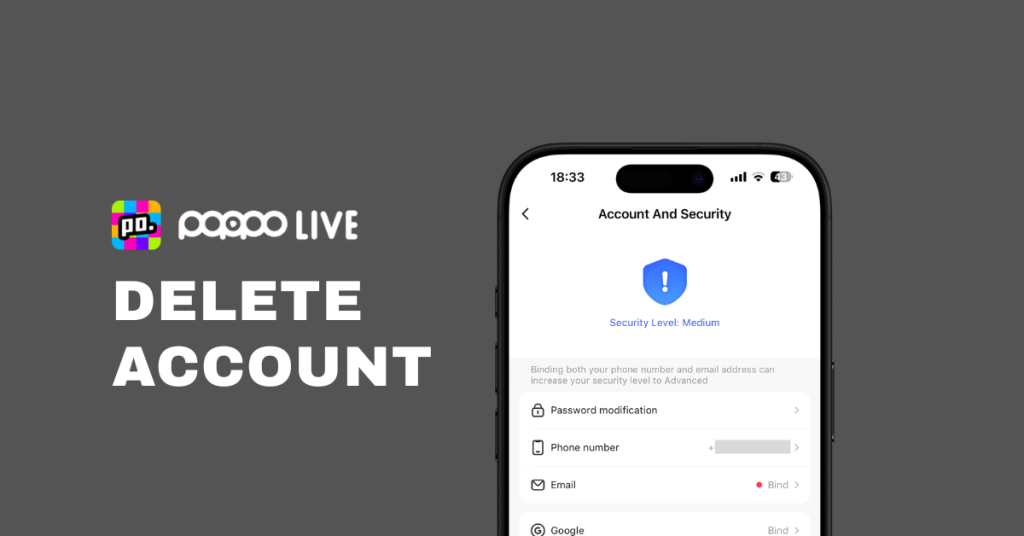
2. Tap on Account and Security > Select Cancel Account

From the Settings menu, go to the “Account and Security” section. Scroll down and select the last option, “Cancel Account,” to proceed.
3. Read and accept the terms > Tap on Confirm Delete Account > Enter your Poppo ID to verify and confirm

Final step: Read carefully and agree to Poppo’s Terms and Conditions before deleting your account. Make sure you understand what cancellation means.
Account cancellation means your account will be permanently deleted it’s not the same as logging out.
After cancellation, you will lose all your data, including:
- Chat history
- Matching info, moments
- Personal details
- VIP, Coins & Points
Your VIP privileges, guardian benefits, and any active service periods will also become invalid. The remaining balance in your wallet, including points, coins, etc will be permanently lost. Any purchased value-added services will also be invalid.
Attention: Once you confirm the cancellation, your account cannot be restored.
Done!
Conclusion
I hope you now understand how to delete poppolive account. if you have any questions, fell free to comment.
wanna re-create a new account by any chance?
you can create a fresh new account. don’t know the process? I got you don’t worry simply follow our simple guide about how to create a poppo live account.
What are the steps to permanently delete a PoppoLive account?
To delete your Poppo account, open the app and log in with the account you want to remove. Go to Profile > Settings > Account and Security, then tap on Cancel Account, Enter your ID and Confirm.
Is deleting my Poppo account the same as logging out?
No, logging out just signs you out temporarily. Deleting your account is permanent once canceled, you lose access to your profile, data, coins, and account features forever.
What happens after I delete my Poppo account?
Once you confirm the deletion:
- Your chat history, matches, personal data, and activity will be permanently removed
- Any PP coins, points, or gold coins in your wallet will be lost
- VIP or Guardian privileges and purchased services will be invalid
- Your account cannot be restored
Can I recover my Poppo account after deleting it?
No. Once you delete your Poppo account, it’s gone for good. There’s no way to recover your data, wallet balance, or account access. Be 100% sure before confirming.
Why can’t I find the “Cancel Account” option?
Make sure you’re using the latest version of the Poppo Live app. Also, ensure you’re logged in with the correct account. If the option still doesn’t appear, try reinstalling the app or checking under Settings > Account and Security.
Will I lose my wallet balance if I delete my account?
Yes. Deleting your Poppo account will also remove your entire wallet balance, including coins, points, and any active services these cannot be transferred or refunded.